
Den här artikeln finns även på:
 Svenska

First and foremost, welcome to Oderland! In this guide, we will go through how our systems work together and how you can get started with a web hosting account with us.
We have two different control panels that you need to know: The Client Area (your client account with us) and cPanel. We have written the following article about what distinguishes them, but in short, the Client Area is where you manage matters relating to your details as a client with us (orders, invoices, contact details, etc.), and cPanel is the hub for the web hosting account itself (where you set up websites, email accounts, databases, etc.).
The Client Area – your client account
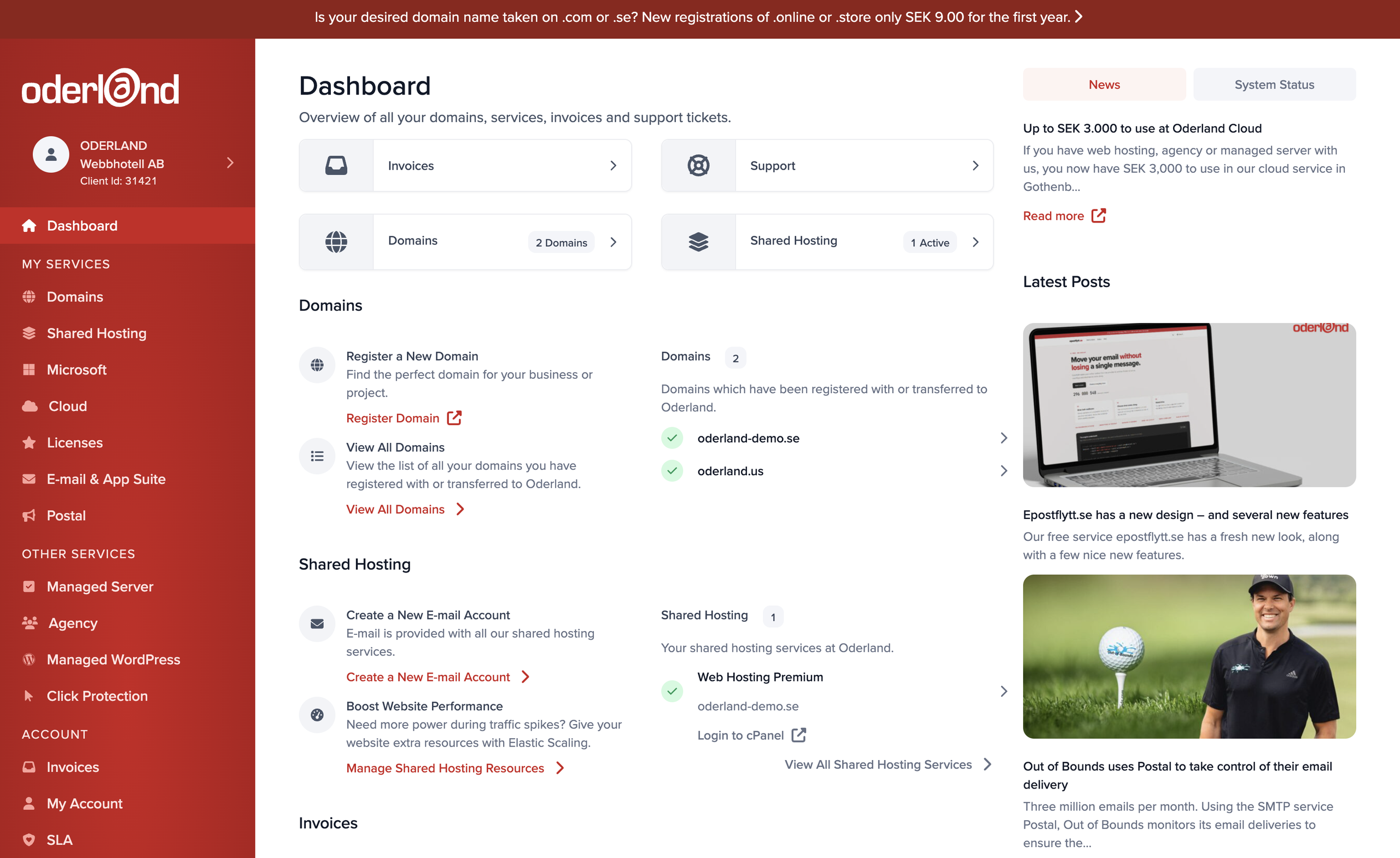
Within the Client Area, you will mostly manage matters relating to your client account with us. Common tasks performed while logged in include:
- Updating contact details – if you move or if the company changes its contact person, this can be updated.
- Paying invoices – we offer support for payments via debit/credit card, PayPal, Swish, and bank transfer. You can use all online payment solutions via the Client Area.
- Downloading invoice copies – if you have lost an invoice and your accountant is chasing you, you can resolve this via the Client Area.
- Setting up additional contacts (for example billing contacts) – if your company has a billing department or uses a central bank transfer service or similar, you can create a billing contact for this. If you have someone who is technically responsible, you can create a technical contact with login capabilities.
- Logging in to cPanel for web hosting accounts – the easiest way to log in to cPanel is via the Client Area, although there are other ways in as well.
- Upgrading services – sometimes your current service is not enough and you need to upgrade for more space or better performance.
- Downgrading services – it can also be the other way around, where you need less space or less performance; in that case, you can downgrade your service instead.
- Cancelling services and domains – if you have a web hosting account from before that you no longer need, you can cancel it according to the instructions here.
The Client Area also contains the registrar functions needed to manage certain parts of the domain names purchased through us:
- Choosing DNS servers for domains – choose ours if you want to be able to manage DNS entries via cPanel (see below).
- Changing domain ownership details (Whois details) – if you wish to transfer a domain, in many cases, you will need to update the Whois information.
- Retrieving EPP codes for domain transfers – to move domains to other registrars, you need an EPP or AUTH code; here is where you do it.
cPanel – your web hosting account
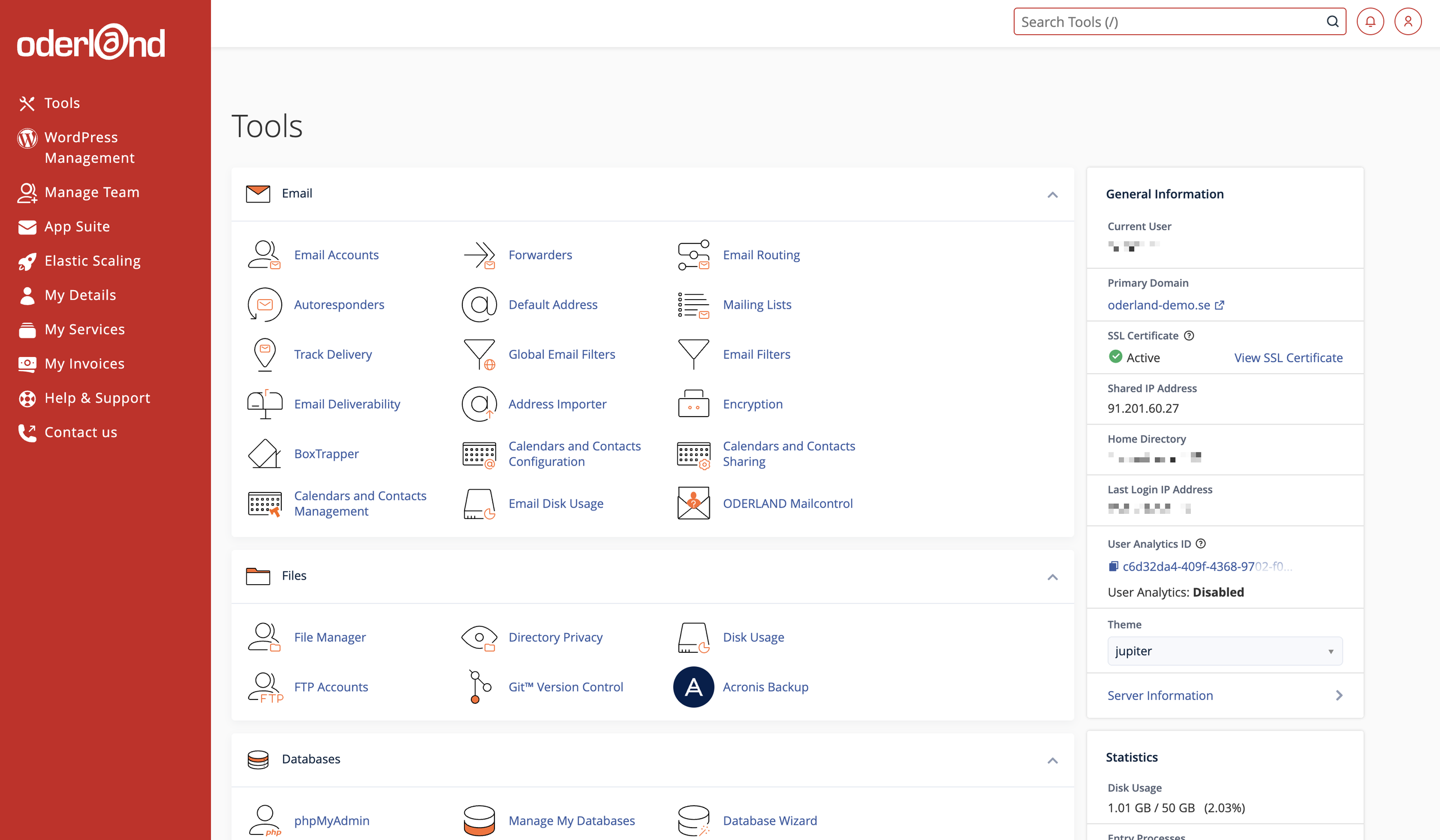
cPanel, on the other hand, is the control panel that constitutes and manages the web hosting account itself. Here, you control everything relating to the web hosting account as such, for example:
- Creating email accounts – you can have an unlimited number of email accounts per web hosting account! Once email accounts have been created, you can set them up in email clients (or access them via our webmail).
- Creating email forwarders – the number of forwarders you can set up is also unlimited.
- Managing DNS entries for domains set up on the account – DNS entries control where the domain points, both regarding web traffic and email.
- Adding more domain names to the account – you can connect as many domains as you like to a single web hosting account; just keep in mind that the domains and the web hosting account must have the same owner.
- Creating subdomains for domains on the account – you can create an unlimited number of subdomains for each domain.
- Installing a CMS (for example, WordPress) on the account – our one-click installer Softaculous, described in the guide, offers over 400 different CMSs and other web apps that can be installed as needed.
- Managing folders/files – you do not have to use FTP to access the files on the account.
- Managing SSL certificates for domains/websites on the account – you want HTTPS on all your websites, and with free certificates from Let’s Encrypt, it is fast and automatic.
- Creating databases – many website systems require databases, and you can arrange that without any problems.
There are a very large number of other functions within cPanel. If anything is unclear regarding how to use them, do not hesitate to go through our other guides or contact our support for more hands-on guidance.